AdsCrawl is a Chrome extension for finding similar websites and potential competitors. Build your research shortlist, collect public pages for competitor analysis and revisit them over time. Process page content locally and export it in the format your work needs.
Local extraction and table exports need no sign-in. Similar-site searches require an account and credits.
Find similar sites and competitors
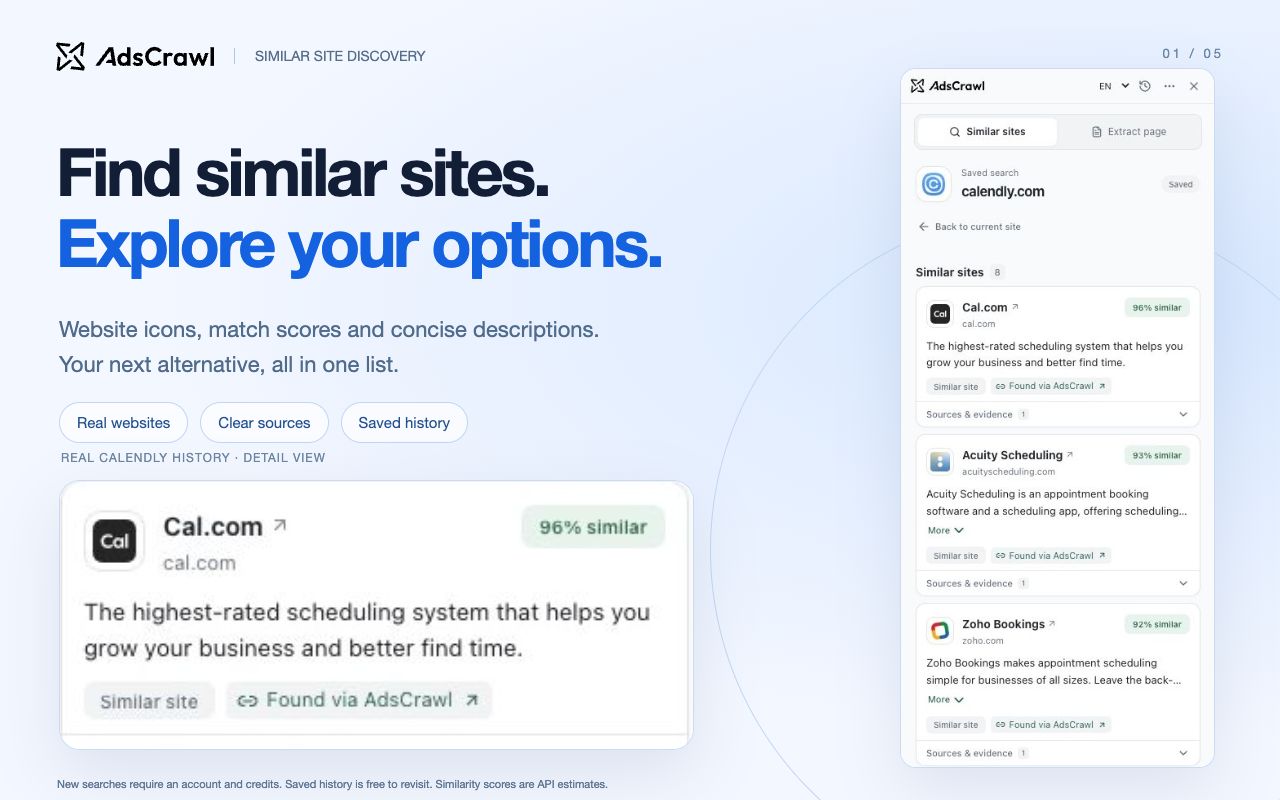
Start with your own website or a known competitor. Discover related products and alternatives, review descriptions, reference scores and sources, then choose which sites to research.
Requires an AdsCrawl account and credits for new searches. The cost is shown before you search.
Collect competitor research locally
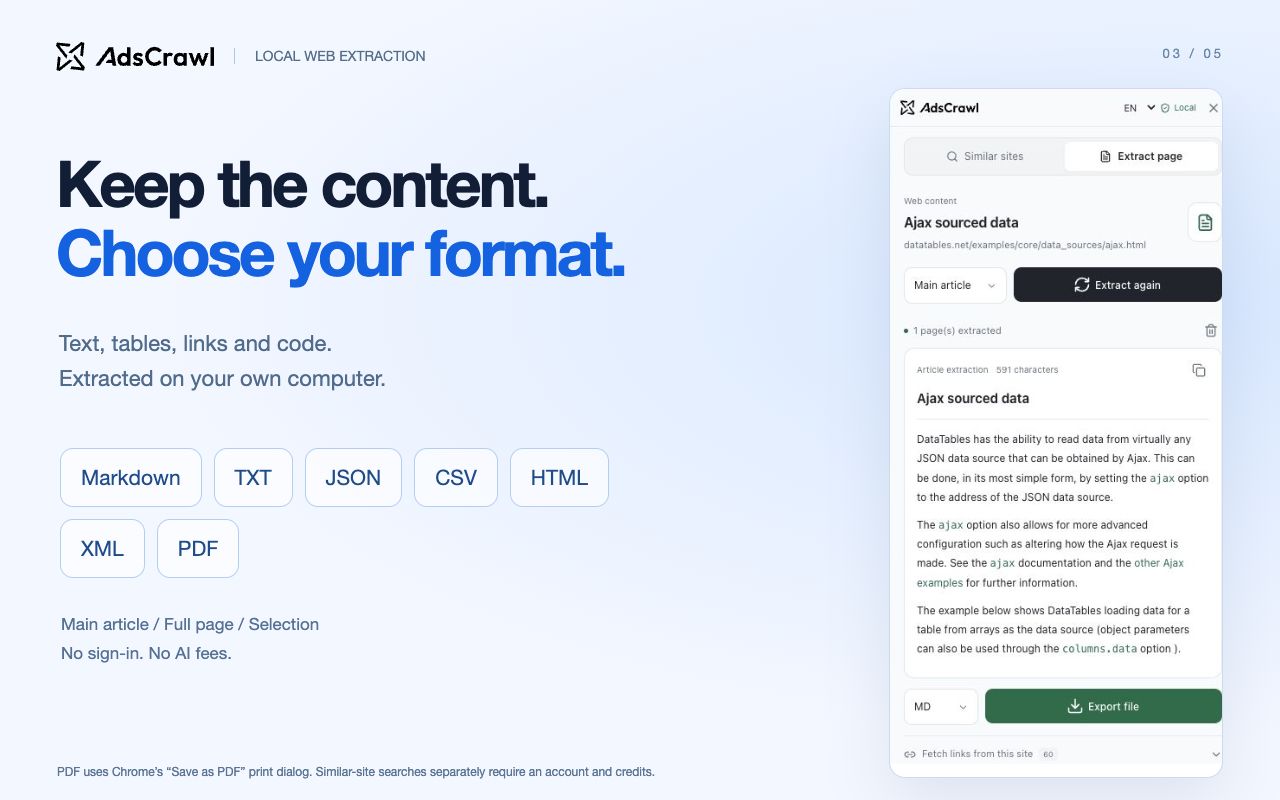
Save public product pages, pricing details or release notes as an article, full page text or a selection. Keep the title, source link and capture time with your research for later comparison.
Local extraction needs no sign-in, API key or AI service.
Take tables into your spreadsheet
Enable Table shortcuts in Settings and grant website access. Hover over a rendered table to copy it or export a CSV, without reopening the sidebar on every page.
Copy and export run locally. You can turn the shortcuts off at any time.
A saved Calendly search in the extension’s published screenshots. Results and scores are references for further research, not verified competitor relationships.
From similar websites to competitor research
Use one browser workflow to decide who to investigate, collect the evidence and return to the pages that matter.
Build a competitor shortlist
Open a business you know and use Similar sites to find related websites. Visit each candidate to check its audience, product and market before including it in your research. A similarity score is a starting point for review, not proof of a competitor relationship.
Prepare evidence for competitor analysis
Visit a candidate’s product and pricing pages. Save the relevant text as Markdown, or copy a feature table into a spreadsheet. Compare positioning, features and public offers in your own notes, with source links for checking the evidence.
Monitor competitors with regular manual reviews
Revisit selected sites on your own schedule and export another dated copy of the pages you follow. Compare the files in your own tools to review pricing, product or messaging changes. The extension supports this manual workflow; it does not run scheduled checks or send change alerts.
Extract the article, full page text or selected content without signing in or sending the extracted body to AdsCrawl. Export documents locally, then choose how to analyze or share them in your own tools.
Page extraction export formats and their uses
Format
Use it for
Markdown
Save readable research notes with the source URL and capture time.
TXT
Keep plain text for search, annotation and reuse in your own tools.
CSV
Export extracted page records to a spreadsheet. Table shortcuts can also export a rendered table as CSV.
JSON / XML
Keep structured document records for further processing in your own workflow.
HTML
Save a readable document containing the extracted content and source, rather than a full copy of the original website.
PDF
Open the extension’s print view and choose Save as PDF in Chrome’s print dialog.
Export options apply to extracted page content. PDF requires Chrome’s Save as PDF print option.
How to use the AdsCrawl Chrome extension
Install and pin AdsCrawl
Open the Chrome Web Store listing in Chrome, choose Add to Chrome and confirm the installation. Pin AdsCrawl from Chrome’s extensions menu for quick access.
Open a regular webpage
Click the AdsCrawl toolbar icon. Choose Chrome’s native sidebar or a fixed panel inside the page. The interface supports English and Simplified Chinese.
Find similar sites or extract the page
For Similar sites, sign in to AdsCrawl in the same Chrome profile, connect the account and check the credit cost before searching. Or start with Extract page: local extraction and export need no account.
Chrome extension questions
Can I use the extension for competitor analysis and monitoring?
Yes, for research you review yourself: discover potential competitors, extract their public pages and compare exported files over time. The current extension does not generate product-difference reports, schedule checks or send change alerts. Similarity scores help prioritize research and do not measure traffic or market share.
Is the extension free to use?
Installing the extension, local page extraction and table copying/exporting are free. Similar-site discovery uses your AdsCrawl account credits; new searches and searches you repeat show their cost before running. Opening saved local history does not repeat a paid query.
How do I connect similar-site discovery?
Sign in to AdsCrawl in the same Chrome profile, then connect your account from the extension and grant the requested API-domain permission. You do not need to paste an API key into the extension.
Does it upload the page I extract?
Current-page extraction, table copying and file creation run locally without uploading the extracted body to AdsCrawl. Similar-site searches send the website’s homepage address and necessary parameters. Optional link fetching contacts the original websites, and displaying site icons may make favicon requests. See the extension privacy notice for the full scope.
Which pages and tables are supported?
The extension processes rendered content. It does not automatically traverse pagination or virtual scrolling lists. You can manually select up to five public links on the same site. Chrome internal pages, the Web Store and some complex pages or tables are unsupported; link fetching does not bypass login or access restrictions.



 Get it on the Chrome Web Store